I was sent the Navman Panoramic satnav to review and I’ve enjoyed putting it through its paces over the last couple of weeks.
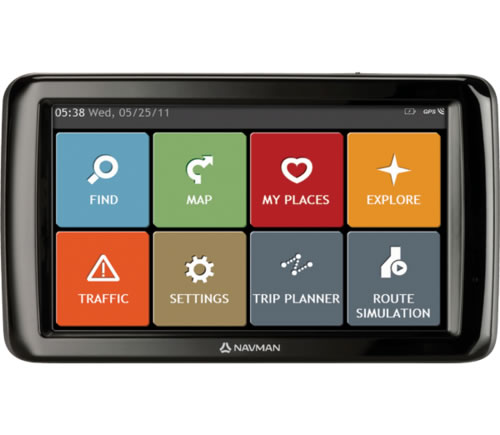
First impressions are that it’s got a significantly bigger screen compared to any other satnav that I’ve seen. The seven inch screen makes quite an impact and certainly makes a difference in being easy to read as you glance at the screen while driving.
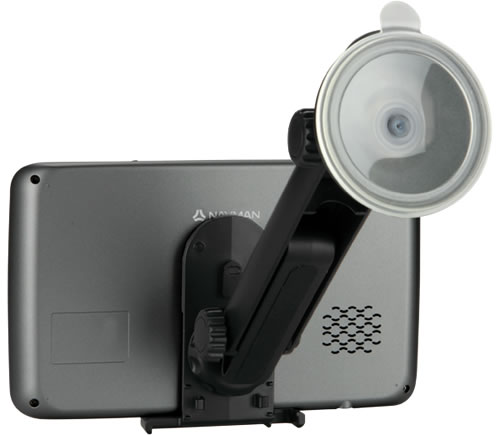
The larger size does cause a few extra issues for fitting and it might be harder to find a good spot in a small car. It is supplied with a suction cup to attach to the windscreen and a longer than usual arm to hold the screen that bit further out from the windsceen. I thought that the suction cup might be under a bit of strain to hold a larger device out at a longer distance but it coped very well and there was no slippage.
All the options are controlled by the touch screen which was adequate in use but going from using an iphone to the Navman screen you need to be a little more patient in terms of responsiveness and accuracy.
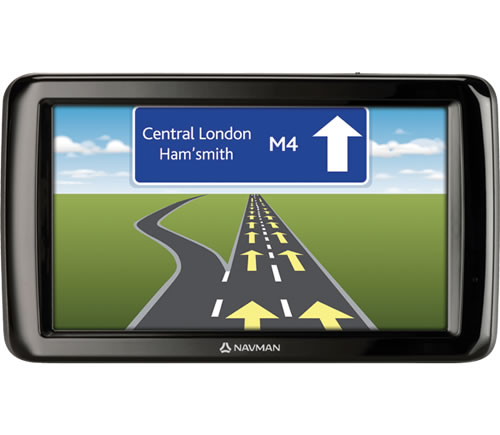
A few features that I liked are fairly standard but handy all the same and made easier by the larger screen. Lane guidance in particular is made for a wide screen like this. I also liked the indicator on the display of the current speed limit and the audio warning when you get above this. Handy for those occasions where you might have missed a change in the limit.
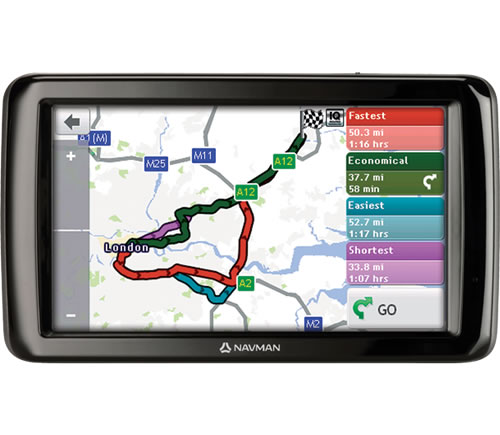
Route planning is good with four different options for each journey: Fastest, Shortest, Easiest, Most Economical. It can take a little while to calculate all the routes but generally you would just want the Fastest and so that is planned first and you don’t need to wait for the others.
Adding an address is quite easy to and can be done with a postcode or by street name. As you start to type an address the Navman is already matching possibilities in its database so the autocomplete normally gets there before you. It also worked well for me in finding points of interest when I tested it with a local hotel. The ETA for journeys was also very accurate as I think the data is based on past real life speeds rather than theoretical road speed limits.
All the settings are controlled via the touch screen with no external buttons but I do think it might have been handy to have a volume control. At one point when I realised it was set too high there was no safe or legal way to work through the various menus to find the control.
All in all I’ve really enjoyed using the Navman Panaoramic and I’m going to struggle to give it up. However I’ll be doing just that in a competition soon so keep an eye on the site!
this is a brillant sat nav but trying to get a new suction cap on the internet is impossible please help